Tonaut
01
Synth — the engine page Tape — four tracks, six minutes Groove — hold a pad, the kit plays Seq — sixteen steps, four lanes
01 / 04
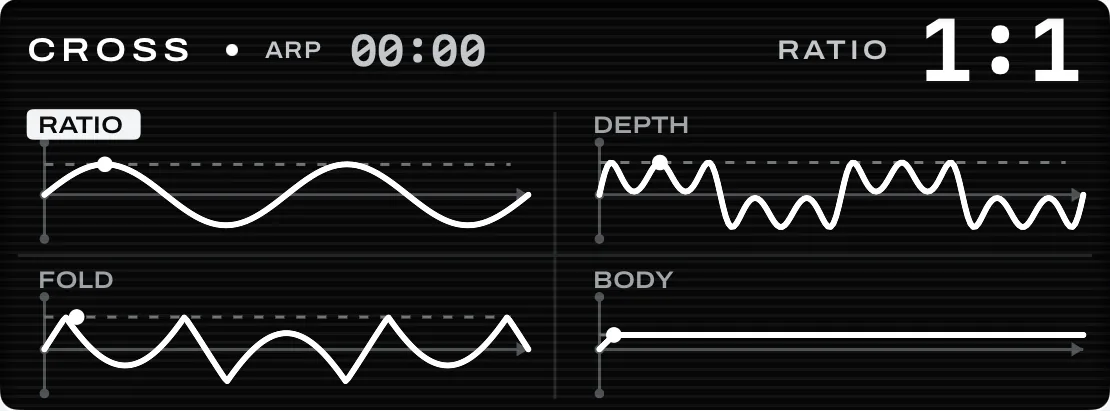
Four parameters, each drawn as its own plot on its own axis. Move one and only its curve moves. Two reels on one axis, counter-rotating as the tape runs. Red marks the armed track and nothing else. Sixteen grooves on a kit lane’s ARP key. Hold any pad and the whole kit plays; complexity adds open hats, then fills. The grid takes the full width. Selected is a bone fill, playing is a red outline, so a step can be both at once.
SLOPE 00:00
WAVE 62
WAVE TONE EDGE SUB
SCOPE
TAPE 0:00:08
REC TRK 1
5:52 LEFT
TRACKS
5:52 LEFT
1 2 3 4
GROOVE LANE 2 GROOVE ON KICKSNAREHAT OPENTOMSCRASH LANES 1 DIVINER 1/16 UP 3 SLOPE -- 4 CROSS 1/16 UP 2 SMOKE KIT FUNK 50% SEQ LANE 3 · PATTERN 01 PATTERN 01 0102 0304 0506 0708 0910 1112 1314 1516 1 BOTTLE GL…2 WIRE ORGAN4 TIN KIT OUT WAVETONE EDGESUB 120.0 BPM SHIFT CORE SHAPE FX MOVE SYNTH DRUM TAPE SEQ ARP C3 C4 FOUR PLOTS, FOUR LANES LIVE SCOPE
Portable instrument · iPhone

Synthesizer. Drum sampler. Four‑track tape.

$49 Once · no subscription
Coming to the App Store
Eight synth engines◆Sixteen grooves◆Four effects on every sound◆Four-track tape◆Four lanes, four bars a pattern◆Instant sampling◆Share the whole song◆Twenty-four round keys◆Two housings, one specification◆Every meter is counted◆No subscription◆
01

Built like hardware

Actual pixels
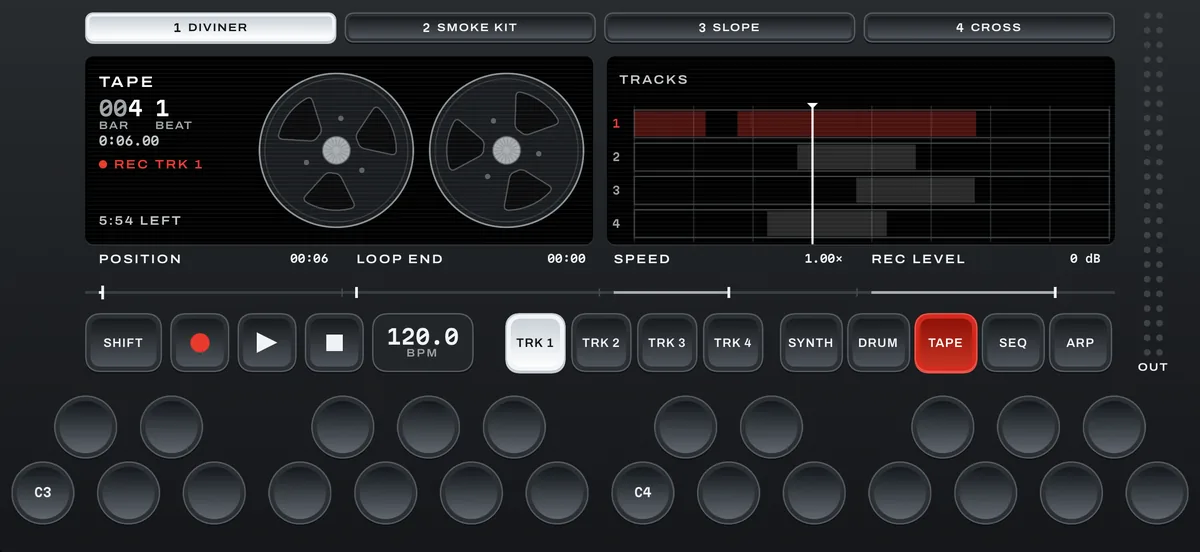
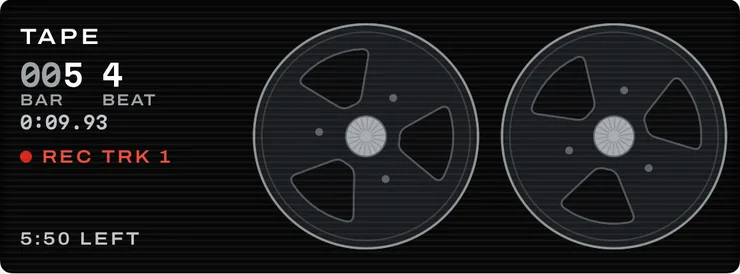
The tape page's left screen: a counter, a record marker and two reels on one axis.
Two reels, one axis The tape page draws the transport, not a progress bar. Two reels, turning opposite ways, with the counter beside them.
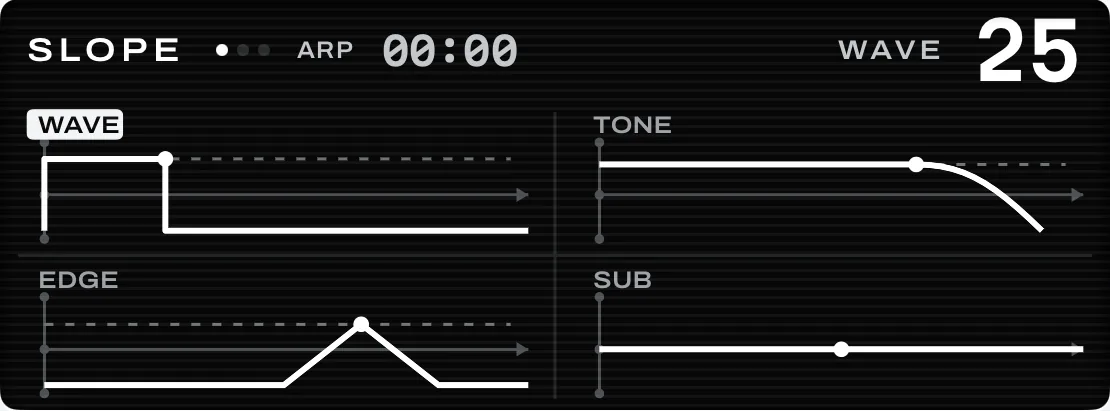
The engine page's left screen: four plotted quadrants labelled WAVE, TONE, EDGE and SUB.
Four plots, four lanes Every parameter gets its own axis and its own curve, so moving one moves only its own picture.
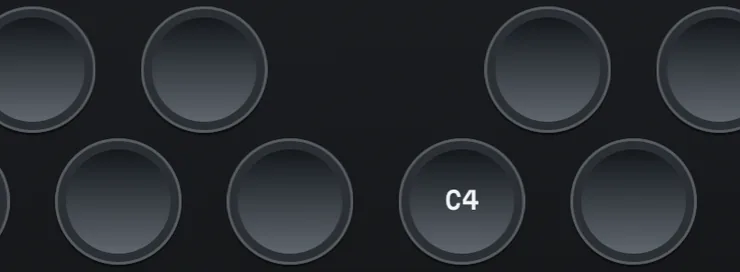
Round keys in two staggered rows on the dark housing, one of them labelled C4.
Twenty-four round keys Two staggered rows. Every key a full-size target — no thin black keys to miss.

The same instrument, in two housings.

Light is the default. Dark is one tap away, or it follows the system. The screen stays black in both — so every drawing, meter and readout is one specification.

The Tonaut panel in its dark housing, on the tape page, recording to track 1.

Drag the panel sideways →

Fig. 02 Tape · recording to track 1 · dark housing
02

Everything on one panel

Always visible
Synth mode: four plotted quadrants on the left screen, a live scope on the right.
01Synth

Eight engines, four pages each — CORE, SHAPE, FX and MOVE. Four parameters on a page, never more.
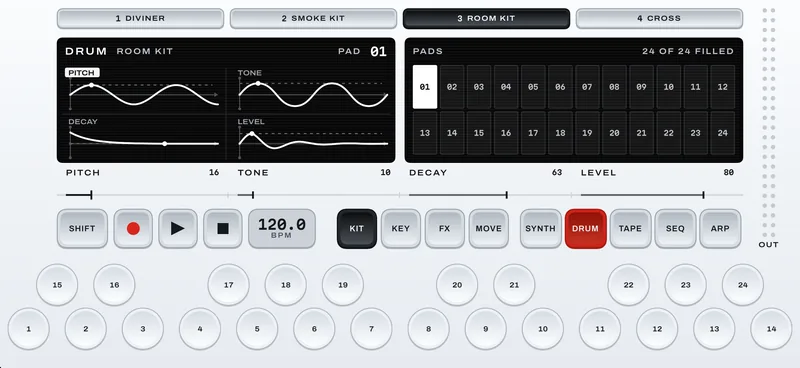
Drum mode: a kit on the left screen, twenty-four numbered pads on the right.
02Drum

Seven sampled kits, seventeen synthesized, or your own recording sliced across twenty-four pads. The keys stop being notes and become the kit.

Tape mode: two reels and a counter on the left screen, four tracks with a take on the right.
03Tape

Four tracks, six minutes each, and every lane can record to its own. Position, loop end, speed and record level, all on one band.

Sequencer mode: one wide screen with sixteen numbered steps and three lane rows.
04Seq

Four lanes, sixteen patterns each, up to four bars a pattern. Chords, held notes, and live recording with count‑in and click. The two screens become one.

Arp mode: a held chord drawn as a rising run of four steps, the current one filled, with the four lanes listed on the right
05Arp

Hold a chord and it plays back as a run. Six patterns (up, down, up-down, as played, random and chord) with rate, gate, swing and octave range per lane.
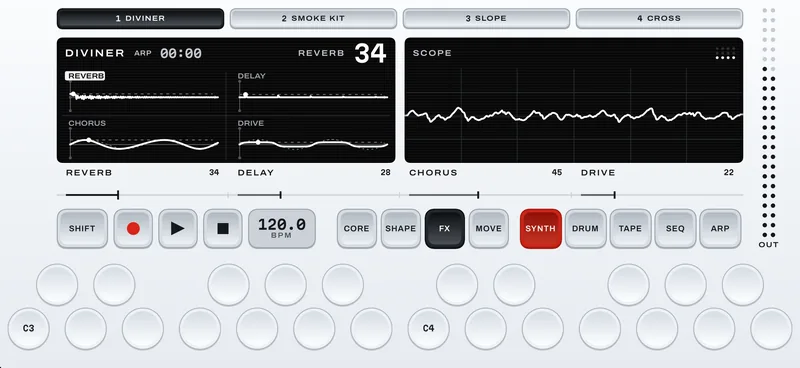
The FX page: reverb, delay, chorus and drive amounts plotted on the left, the scope on the right.
06Effects

Reverb, delay, chorus and drive on every synth and kit, each starting at zero. SHIFT gives each one its main control, and SHIFT + FX swaps in spring, crush, fold or comb.
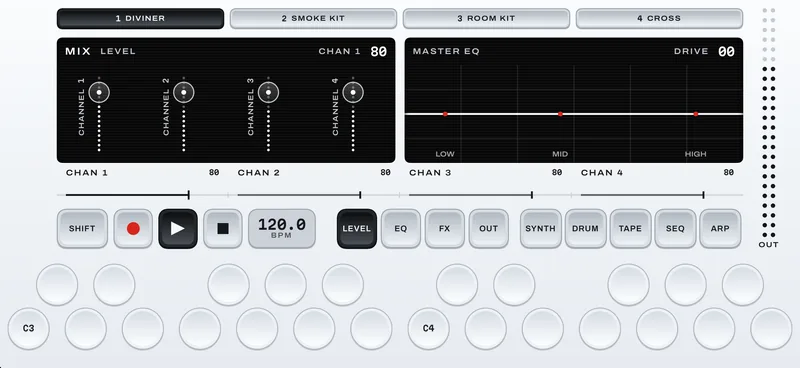
The mixer: four channel faders with meters on the left, the master EQ on the right.
07Mixer

SHIFT and the fifth mode key. A fader with a live meter for each lane, a master EQ with drive, one master effect and the output in dB.
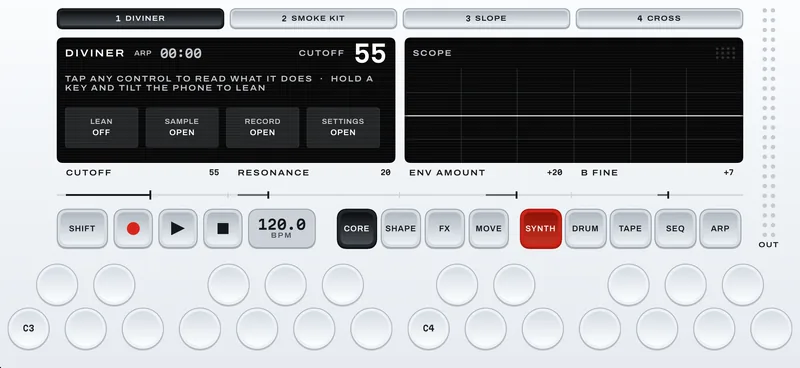
The help panel: a line telling you to tap any control, with Lean, Sample, Record and Settings below.
08Help

Hold SHIFT and tap HELP, then any control, to read what it does. Lean, sampling, recording and settings live here too.

Shift doubles everything

Hold SHIFT with the left thumb: every page reveals a second set of four parameters, every button takes a second job, and the twenty-four keys become a labelled tool row. The mixer is SHIFT and the fifth mode key, in the same place on every screen.


A single tap shows a value and never resets it. A double tap returns it to default. Press, hold, then drag is fine adjustment.
03

Eight synth engines

Pick one
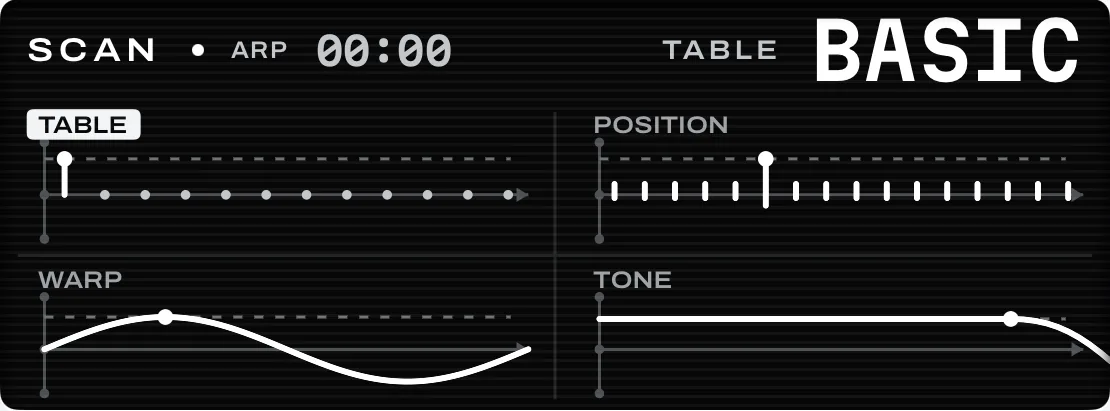
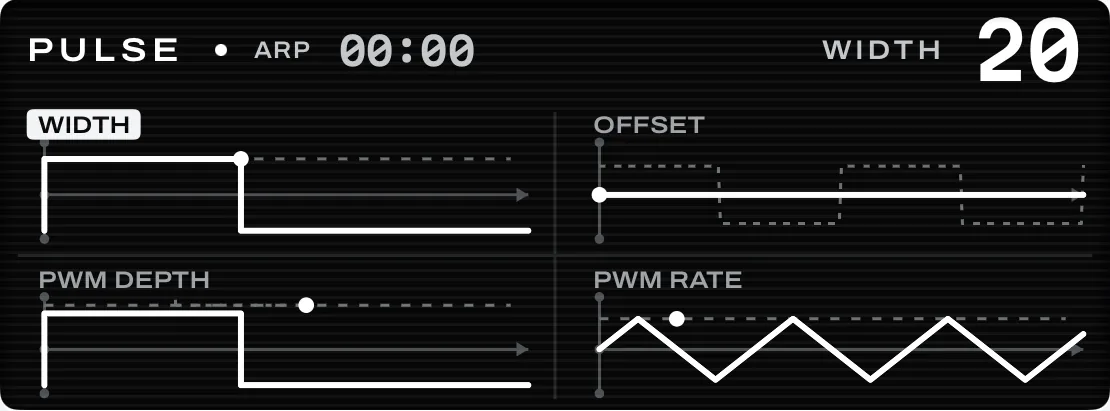
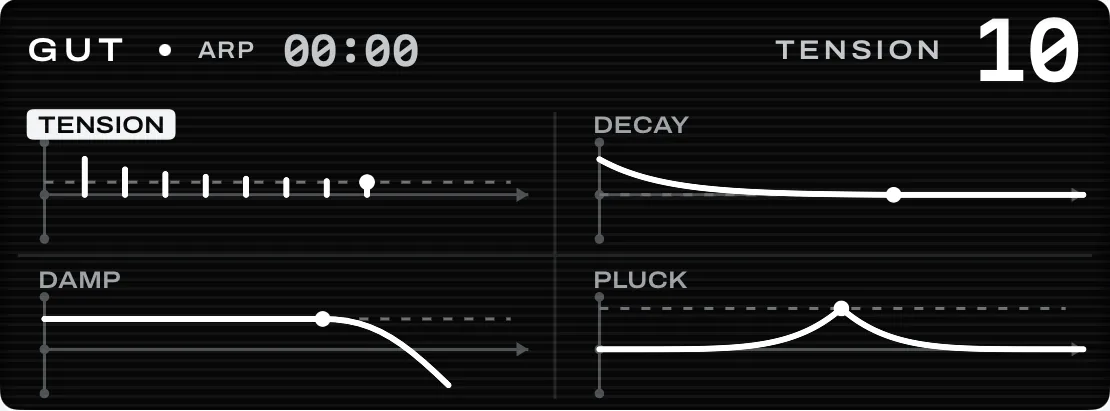
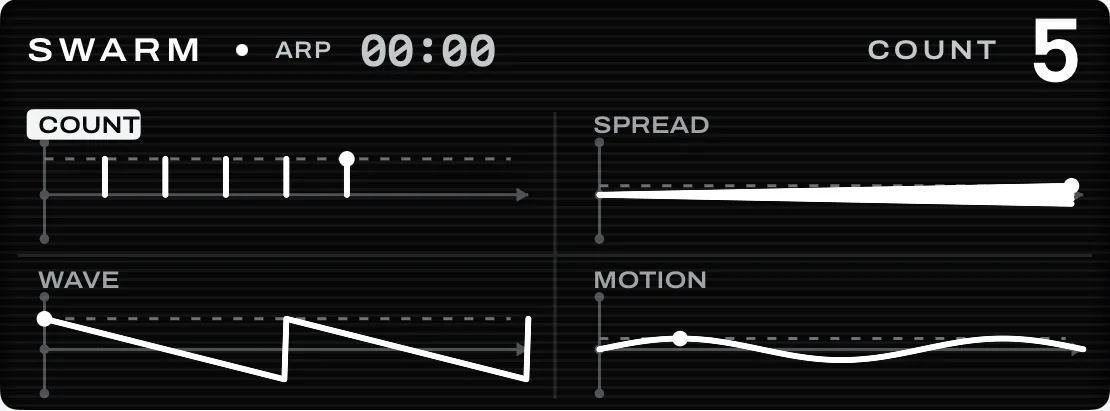
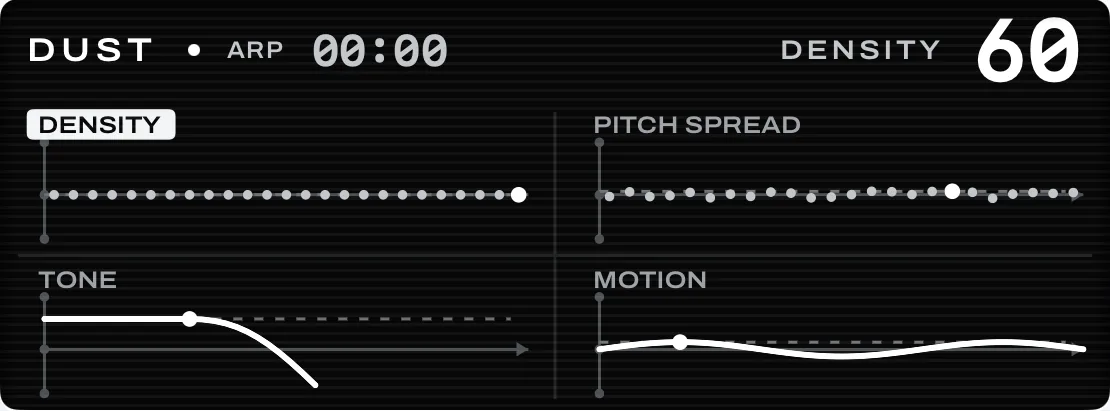
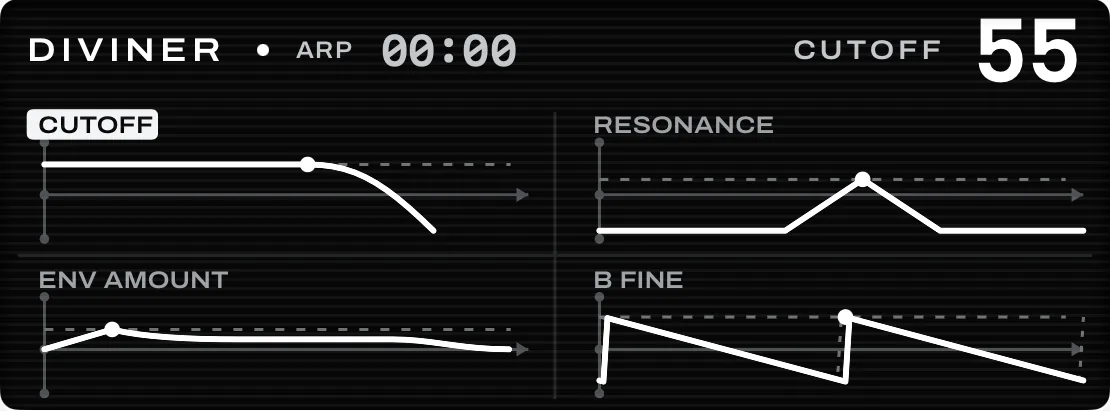
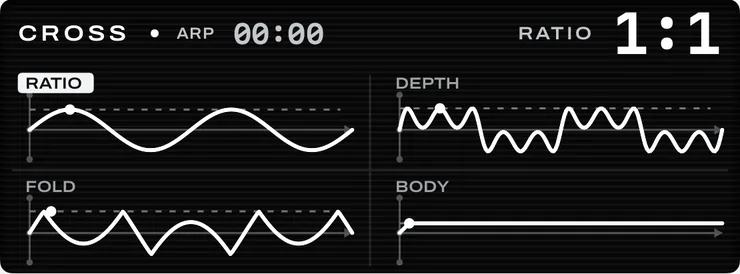
Slope's engine page: wave, tone, edge and sub, each drawn as a plot. Cross's engine page: ratio, depth, fold and body drawn as waveforms. Scan's engine page: table, position, warp and tone. Pulse's engine page: width, offset, PWM depth and PWM rate. Gut's engine page: tension, decay, damping and pluck. Swarm's engine page: count, spread, wave and motion. Dust's engine page: density, pitch spread, tone and motion. Diviner's engine page: cutoff, resonance, envelope amount and fine tune.
01
Slope

Virtual analog. One oscillator that morphs from noise to pulse to saw, with a sub, into a resonant low-pass.

Edit every detail. Open EDIT on any sound for every one of its controls, grouped like a hardware panel, and save the result as your own patch.
04

Drums

Twenty‑four pads a kit
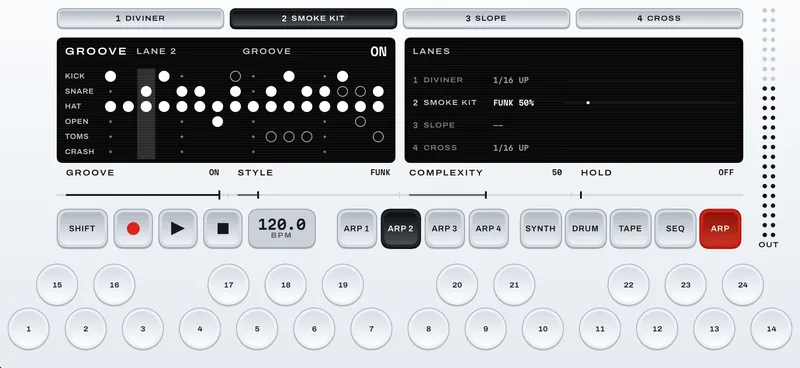
Groove on a kit lane: a grid of kick, snare, hat, open hat, tom and crash hits, with every lane's arp or groove listed on the right.
GrooveOn a kit lane, ARP becomes the groove player: switch it on, hold any pad, and the whole kit plays. Complexity runs from a plain beat to fills.
16
Grooves
24
Pads a kit
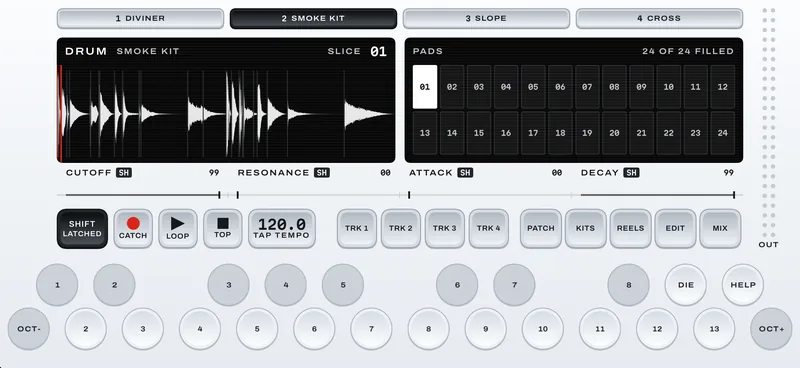
A sampled kit under SHIFT: cutoff, resonance, attack and decay for the selected pad on the band.
Every pad, its own toneUnder SHIFT each pad gets its own cutoff, resonance, attack and decay.
A Knock kit: pitch, tone, decay and level plotted for pad 1, with twenty-four pads on the right.
Knock drum synthEvery pad is its own two‑oscillator drum, drawn as you tune it.
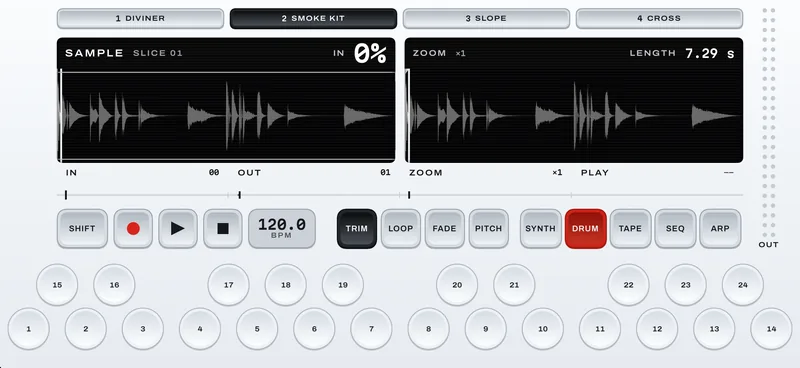
The sample editor on a kit: the whole recording on the left, a zoomed view on the right.
Edit any sliceStart, end, loop, fade and pitch for every pad, zoomed in or across the whole recording.
7
Sampled kits

Punch, Hall, Chrome, Smoke, Arena, Boom and Pop, made from real recorded drums. Each is one recording sliced across twenty‑four pads.

17
Synthesized kits

Built on Knock, where every pad is its own drum. On a kit lane the round keys become the pads, and under SHIFT they turn into shortcuts.

The limits
are the point.

Everything you need to finish something, and nothing you need to configure. The constraint is what makes it finishable on a train.
4Tape
tracks
4Parameters
per page
2Octaves under
your thumbs
0Menus
to dig through
05

Share the song

06

Specifications

8Synth
engines
4Lanes
64Steps a
pattern
16Grooves
4Effects on
every sound
6:00Per tape
track

Sound

Synth engines
8
Drum engines
Kits · Knock · Slicer
Drum kits
7 sampled · 17 synthesized
Effects
4 per sound · 8 types
Master effect
1
Modulators
6

Sequencing

Lanes
4
Patterns
16 per lane
Steps
Up to 64
Grooves
16
Arp modes
6
Keys
24

Tape and samples

Tape tracks
4 × 6:00
Sampling
20 s per key
Input
Mic · line · USB · file
Export
Mix · stems · samples
Sharing
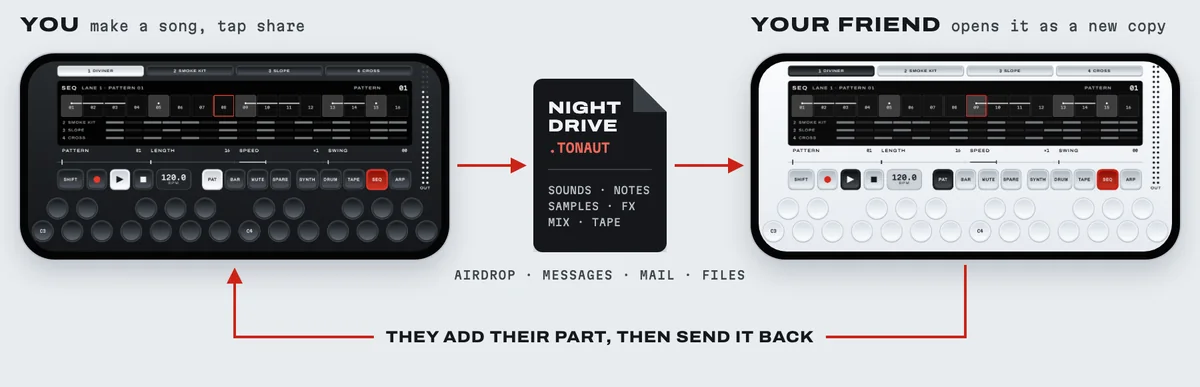
Whole song · one file
Undo
7 steps

System

MIDI
USB · Bluetooth
Sync
iCloud · optional
Housings
Light · dark · auto
Orientation
Landscape
Requires
iOS 26/27
Price
$49 once
07

Launch alert

Tonaut is being tested now. Leave your email and we’ll send one message when it’s on the App Store. Nothing else.

Buy it once. It is yours. One payment, every future engine. No subscription, and no account of ours. Tonaut is not on the App Store yet — when it is, it will cost $49 and that will be the end of it. Questions before it ships? Write to hello@coastcreative.studio, or read the support page.
Coming to the App Store $49 once · iOS 26/27